Samsung WB650 (WB660) Camera User Manual, Instruction Manual, User Guide (PDF)

Samsung WB650 (WB660) houses a high-performance 15x (24-360mm) Schneider-KREUZNACH wide-angle super-zoom lens, a high resolution 14 MP CCD sensor capturing wider and deeper perspective with crystal clear details. The Dual Image Stabilization delivers outstanding images without blur, even in low light conditions.

The WB650 (WB660) is built-in GPS for automatic geo-tagging of images from anywhere in the world. And with the Map-view feature, you can check the images' location on a map, and even locate landmarks without having to upload photos to the internet.

Read moreSamsung WB650 (WB660) Camera User Manual, Instruction Manual, User Guide (PDF)

Samsung SL30 Camera User Manual, Instruction Manual, User Guide (PDF)

The easy-to-use Samsung SL30 equipped with a 3x (38-114mm) optical zoom lens and 10.2 MP CCD sensor delivers clear, beautiful images. The Digital Image Stabilization helping you to capture sharp photos without blur.

The SL30 features Face Detection technology detects the subject's face and automatically adjusts auto focus and auto exposure, you can now take better portrait photos with ease. The Beauty Shot function retouch the facial skin to appear brighter and smoother.

Read moreSamsung SL30 Camera User Manual, Instruction Manual, User Guide (PDF)
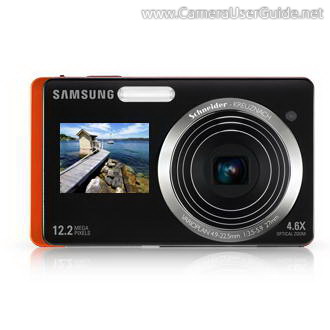
Samsung HZ50W Camera User Manual, Instruction Manual, User Guide (PDF)
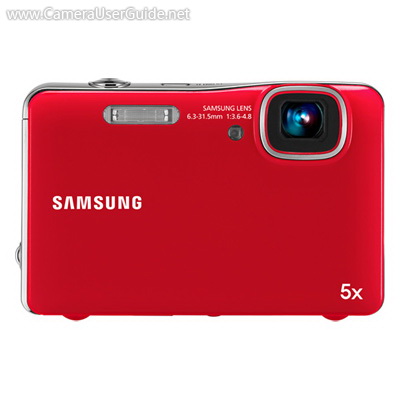
Samsung HZ50W boasts a 26x (26-676mm) Schneider-KREUZNACH wide-angle super zoom lens capturing both distant action and candid close-ups with ease. The 13.8 MP CCD sensor delivers sharp, crisp detailed images for poster-sized printing. The Dual Image Stabilization ensures clear, steady shots even in low-light or fast-action scenes.

The HZ50W features Smart Auto Scene recognition technology automatically chooses from 16 different settings ranging from landscape to portrait and then optimizes the camera automatically to ensure the perfect results possible are achieved.

Read moreSamsung HZ50W Camera User Manual, Instruction Manual, User Guide (PDF)
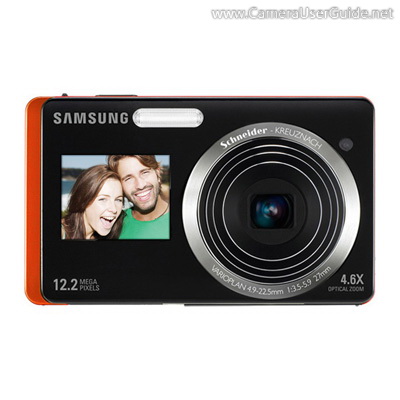
Samsung ST550 (ST560) Camera User Manual, Instruction Manual, User Guide (PDF)

Samsung ST550 (ST560) DualView camera houses a 1.5-inch front LCD display makes it easy to put yourself in the shot. The large 3.5-inch touchscreen LCD on the back offers intuitive operation, at the tip of your finger.

The ST550 (ST560) equipped with a 12.2 MP CCD sensor, a Schneider-Kreuznach 4.6x (27-124mm) wide-angle optical zoom lens allowing a wider shooting range from a shorter distance, and producing incredibly detailed images. The Dual Image Stabilization ensures stunningly sharp images even in low-light or fast-action scenes.

Read moreSamsung ST550 (ST560) Camera User Manual, Instruction Manual, User Guide (PDF)

Samsung AQ100 (WP10) Camera User Manual, Instruction Manual, User Guide (PDF)

The slim, stylish Samsung AQ100 (WP10) is Waterproof up to 10ft (3m) and Dustproof, it assures perfect shots in any conditions.

The AQ100 (WP10) equipped with a 5x (35-175mm) inner zoom lens lets you to take more details in a distance. The 12.2 MP CCD sensor and Dual Image Stabilization delivers stunningly sharp images with vivid colors even in low light.

The Smart Auto mode instantly analyzes key elements of your composition, then automatically optimize camera settings to capture the perfect shot.

Read moreSamsung AQ100 (WP10) Camera User Manual, Instruction Manual, User Guide (PDF)

Samsung TL225 Camera User Manual, Instruction Manual, User Guide (PDF)

Samsung TL225 DualView camera equipped with a 1.5-inch front display for perfect self-portraits every time. The large 3.5-inch rear LCD touch screen offers simple navigation, at the tip of your finger.

The TL225 houses a high quality 4.6x (27-124mm) Schneider-Kreuznach optical zoom lens and 12.2 MP CCD sensor delivers incredibly detailed images. The Dual Image Stabilization combines both optical and digital image stabilizers to capture clear, steady shots even in low-light or fast-action scenes.

The TL225 features Smart Auto scene recognition technology, which automatically chooses from 16 different settings ranging from landscape to portrait and then adjusts so you get a best shot.

Read moreSamsung TL225 Camera User Manual, Instruction Manual, User Guide (PDF)