Samsung WB2000 Camera User Manual, Instruction Manual, User Guide (PDF)

Samsung WB2000 houses a Schneider-KREUZNACH 5x (24-120mm) wide-angle zoom lens allows you capture large group shots as well as close-ups. The high sensitivity 10 MP Back Side Illuminated CMOS sensor delivers stunning images with truer color and minimal noise. The Dual Image Stabilization ensures clear, steady shots even in low light.

The WB2000 offers 10fps high-speed continuous shooting for stills at full resolution, and a 1000 fps high-speed video recording mode which can be used to reveal the smallest detail of a fast moving event in super-slow motion.

Read moreSamsung WB2000 Camera User Manual, Instruction Manual, User Guide (PDF)
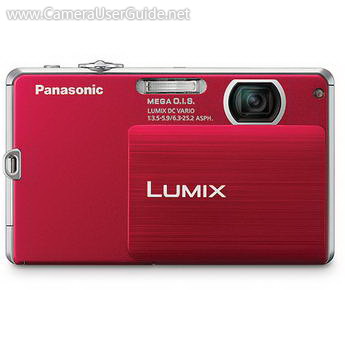
Panasonic Lumix DMC-FP3 Camera User Manual, Instruction Manual, User Guide (PDF)

The ultra-slim Panasonic LUMIX DMC-FP3 incorporates a high resolution 14.1 MP CCD sensor, 4x (35-140mm) folded Lumix DC lens and Venus Engine IV delivers superb image quality. The Optical Image Stabilization reduce the effects of camera shake giving you stunningly sharp photos. The 3-inch LCD touch screen for easy, intuitive control.

The Lumix DMC-FP3 features Intelligent Auto mode automatically recognizes the correct scene mode, then optimize camera settings, makes it easy for anyone to take beautiful pictures. 

Read morePanasonic Lumix DMC-FP3 Camera User Manual, Instruction Manual, User Guide (PDF)

Kodak SLICE (R502) Touchscreen Camera User Manual, Instruction Manual, User Guide (PDF)

KODAK SLICE (R502) equipped with a high resolution 14 MP CCD sensor and SCHNEIDER-KREUZNACH 5x (35-175mm) optical zoom lens delivers stunning image. The Optical Image Stabilization ensures clear, steady shots every time.

The SLICE R502 incorporating a brilliant and intuitive 3.5-inch touch screen display offers easy focus selection and photo viewing. The touchscreen and Share Button allow users to tag images directly on the camera for effortless uploading to popular sharing sites including Facebook, KODAK Gallery, Flickr, and YouTube, as well as e-mail.

Read moreKodak SLICE (R502) Touchscreen Camera User Manual, Instruction Manual, User Guide (PDF)
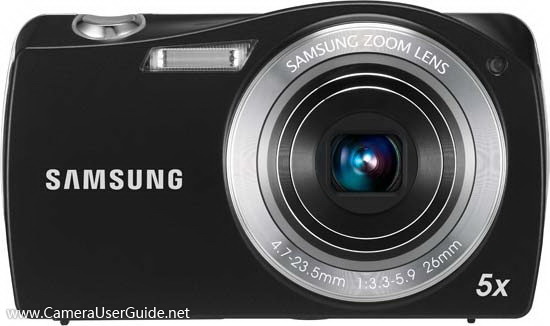
Samsung WB1000 Camera User Manual, Instruction Manual, User Guide (PDF)

This slim Samsung WB1000 equipped with a 5x (24-120mm) Schneider ultra wide angle zoom lens for shooting landscapes and large groups. The 12.2 MP CCD sensor delivers sharp, crisp images. The Dual Image Stabilization combines the strengths of Optical and Digital Image Stabilization ensures blur-free photos even when shooting moving subjects or in low light situations.

The WB1000 features Smart Auto use scene recognition technology actually chooses from 11 different settings ranging from landscape to portrait automatically, then adjusts to ensure the best results.

Read moreSamsung WB1000 Camera User Manual, Instruction Manual, User Guide (PDF)

Samsung ST5000 Camera User Manual, Instruction Manual, User Guide (PDF)

The slim and stylish Samsung ST5000 comes with a impressive Schneider-KREUZNACH 7x (31-217mm) zoom lens and a 14.2 MP high resolution CCD sensor delivers brilliant images. The Dual Image Stabilization which combines both optical and digital stabilizers to capture clear, steady shots even in low-light or fast-action scenes.

A large 3.5-inch LCD touch screen features Smart Gesture user interface which is complimented by an internal Gravity sensor for added ease‑of‑use.

The ST5000 features Smart Auto 2.0 scene recognition technology to make sure you get the photo you're imagining, and you have a surefire memory maker in your hands.

Read moreSamsung ST5000 Camera User Manual, Instruction Manual, User Guide (PDF)

Samsung ST6500 Camera User Manual, Instruction Manual, User Guide (PDF)

The slim Samsung ST6500 incorporates a 5x (26-130mm) optical zoom lens, the wide-angle 26mm for landscapes, cityscapes and group photos, to a telephoto 130mm that's perfect for portraits and general photography. The 16.2 MP high resolution CCD sensor delivers stunning images in full detail. The Dual image stabilization giving you sharp pictures no matter the condition.

The ST6500 equipped with a large 3-inch LCD touch screen with Smart Touch 3.0 interface allows you to simply touch the icons on the display to quickly launch options and applications.

The Smart Auto 2.0 instantly analyzes key elements of your composition then automatically adjusts to ensure the best results possible are achieved.

Read moreSamsung ST6500 Camera User Manual, Instruction Manual, User Guide (PDF)