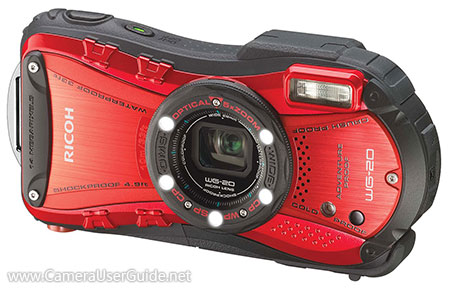
Ricoh WG-20 Camera User Manual, Instruction Manual, User Guide (PDF)

Ricoh WG-20

The rugged, compact Ricoh WG-20 is waterproof down to 33ft (10m), shockproof up to 4.9ft (1.5m), crushproof up to 220LBF (100KGF), coldproof down to 14°F (-10°C) and dustproof.

The high-quality 5x (28-140mm) wide-angle optical zoom lens is perfect for capturing landscapes or distant subjects. The high-resolution 14 MP CCD sensor work with the state-of-the-art imaging engine to deliver sharp, clear images with well-depicted details. The Triple anti-shake protection to compensate different types of shake, ensues steady shots every time.

Read moreRicoh WG-20 Camera User Manual, Instruction Manual, User Guide (PDF)
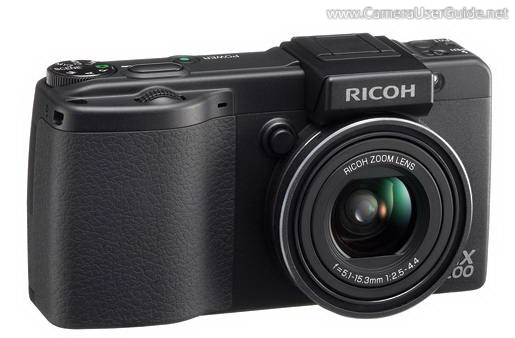
Ricoh GX200 Camera User Manual, Instruction Manual, User Guide (PDF)
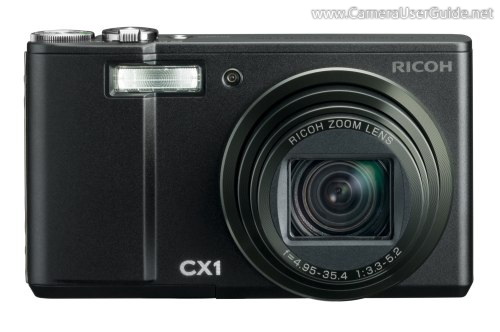
The compact Ricoh GX200 equipped with a high performance 3x (24-72mm) wide-angle optical lens delivers superior resolution and high contrast images. The 12 MP 1/1.7-inch CCD sensor and Smooth Imaging Engine III work together to create high resolution, low noise images with rich gradation expression from highlight to shadow. The CCD-shift-type image stabilizer helps you capture images in full detail and with less blur at all times.

Read moreRicoh GX200 Camera User Manual, Instruction Manual, User Guide (PDF)
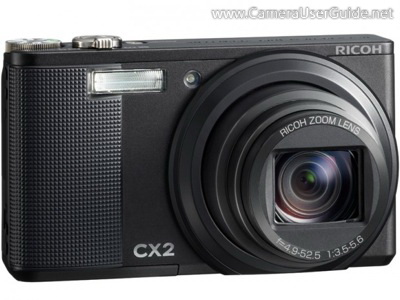
Ricoh CX1 Camera User Manual, Instruction Manual, User Guide (PDF)
The ultra-compact Ricoh CX1 houses a 7.1x (28-200 mm) wide-angle optical  zoom lens can handle a wide range of shooting situations, including powerful telephoto shots as well as wide-angle shooting of group shots and landscapes.

The 9.29 mp CMOS sensor wok with the Smooth Imaging Engine IV delivers superb image quality, while at the same time expanding dynamic range with its dynamic range double shot mode.

The Multi-Pattern Auto White Balance and Multi-Target Auto Focus enable the CX1 to create beautiful images giving an almost naked-eye impression.

Read moreRicoh CX1 Camera User Manual, Instruction Manual, User Guide (PDF)
Ricoh CX2 Camera User Manual, Instruction Manual, User Guide (PDF)

The compact Ricoh CX2 equipped with a 10.7x (28-300 mm) wide-angle powerful zoom lens allowing you to pack even the tiniest details into every frame. The Smooth Imaging Engine IV and a 9 MP CMOS sensor delivers superior-quality low noise images with enhanced dynamic range. The image sensor shift blur reduction function giving you stunningly sharp images.

The easy-to-use scene modes provide shooting techniques to match the scene. To widen the scope of your creative fun, the CX2 adds new scene modes with unique effects. Subject faces are automatically detected and focus, exposure, and white balance adjusted.

Read moreRicoh CX2 Camera User Manual, Instruction Manual, User Guide (PDF)

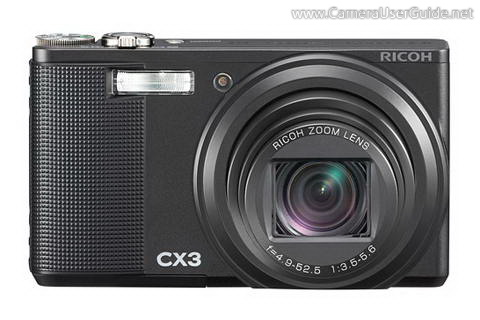
Ricoh CX3 Camera User Manual, Instruction Manual, User Guide (PDF)

The pocket-sized Ricoh CX3 incorporates a 10 MP back-illuminated CMOS sensor and the powerful Smooth Imaging Engine IV delivers stunning images in low-light scenes.

The 10.7x (28-300mm) optical zoom lens can handle a wide range of shooting situations from wide-angle to telephoto. The CMOS shift image stabilizer creates clear and sharp photos in any environment.

The CX3 features Scene auto mode (S-AUTO), the camera intelligently detect your scene type and shooting conditions, and automatically changes to the optimum shooting settings, you can enjoy easy shooting of beautiful photographs.

Read moreRicoh CX3 Camera User Manual, Instruction Manual, User Guide (PDF)

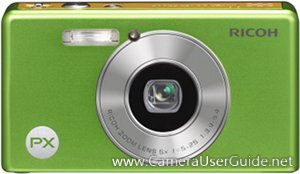
Ricoh PX Camera User Manual, Instruction Manual, User Guide (PDF)

The stylish, rugged Ricoh PX is Water-Proof to a depth of 3m (10ft) for 60 minutes, Drop-Proof up to 1.5m (5ft) and Dust-Proof. It equipped with a 16 MP CCD sensor work with Smooth Imaging IV image processing engine delivers crisp, clear images. A 5x (28-140mm) optical zoom lens helps you get up close to your subjects. The CCD-shift image stabilization reduces blur for stunningly sharp images at high zoom ratios or in low light situations.

The PX features Premium shot mode, camera settings can be optimized simply by using the direct button to select the desired scene, you can relax and enjoy the moment while the camera does all the work.

Read moreRicoh PX Camera User Manual, Instruction Manual, User Guide (PDF)