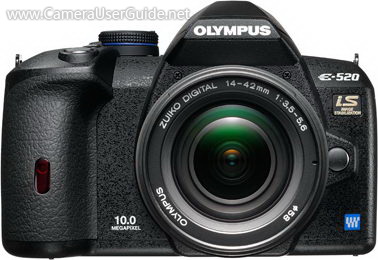
Olympus E-520 DSLR User Manual, Instruction Manual, User Guide (PDF)

Olympus E-520 Four Thirds DSLR equipped with a 10 MP Live-MOS image sensor and TruePic III image processing engine captures low noise, crystal-clear images. The built-in Image Stabilization provides blur-free images with any lens.

The AF Live View with 11-point multi-area autofocusing expand the potential of digital SLR photography. The Face Detection AF automatically detects up to 8 faces at a time and adjusts focus appropriately.

Read moreOlympus E-520 DSLR User Manual, Instruction Manual, User Guide (PDF)

Olympus E-620 DSLR User Manual, Instruction Manual, User Guide (PDF)
Olympus E-620 Four Thirds DSLR incorporates a 12.3 MP Live MOS sensor and TruePic III Image Processing Engine delivers superior image quality in all lighting situations.

The In-Body Image Stabilization which virtually eliminates blur with any lens attached, you can shoot without worrying about shaking your shot.

The 7-point twin cross AF system use a 2-line twin sensor configuration to improve AF accuracy. The 270 degree swivel 2.7-inch Hyper Crystal III LCD allows comfortable shooting under various conditions.

Read moreOlympus E-620 DSLR User Manual, Instruction Manual, User Guide (PDF)

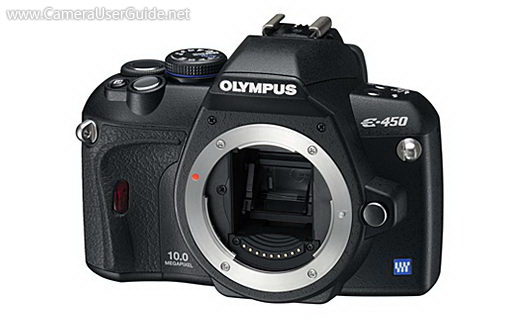
Olympus E-450 DSLR User Manual, Instruction Manual, User Guide (PDF)
Olympus E-450 Four Thirds DSLR houses a powerful 10 MP Live MOS sensor work with TruePic III+ image processing engine delivers crisp, detailed images.

The enhanced Live View function is easier than ever to use and enables you to take pictures while you're looking at the LCD screen. The high-speed contrast AF allows you to focus by half-pressing the shutter button and shoot photos just like you would with a compact camera.

Read moreOlympus E-450 DSLR User Manual, Instruction Manual, User Guide (PDF)

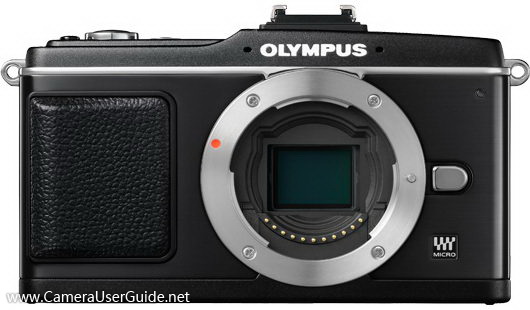
Olympus PEN E-P1 Camera User Manual, Instruction Manual, User Guide (PDF)

Olympus PEN E-P1 Micro Four Thirds system camera equipped with a powerful 12.3 MP Live-MOS sensor, work with the next-generation TruePic V Image Processor delivers stunning images with excellent dynamic range, accurate color fidelity and reduced noise, even shooting up to ISO 6400.

The Built-in Image Stabilization system compensates for up to 4 shutter speed steps with any of the system's interchangeable lenses.

The PEN E-P1 features Intelligent Auto Mode (iAuto), which identifies your shooting intent and instantly adjusts the camera settings to achieve the best results. 

Read moreOlympus PEN E-P1 Camera User Manual, Instruction Manual, User Guide (PDF)

Olympus PEN E-P2 Camera User Manual, Instruction Manual, User Guide (PDF)

Olympus PEN E-P2 Micro Four Thirds interchangeable lens camera incorporates a 12.3 MP Live-MOS sensor combines with the TruePic V Image Processor delivers high-quality images with excellent dynamic range, accurate color fidelity and reduced noise, even up to ISO 6400.

The In-body Image Stabilization system compensates for up to four shutter speed steps with any of the system's interchangeable lenses, delivers crisp, clear images, even in low light.

The iAuto (Intelligent Auto) mode identifies your shooting intent and automatically optimizes the camera settings to achieve the best results.

Read moreOlympus PEN E-P2 Camera User Manual, Instruction Manual, User Guide (PDF)

Olympus PEN E-PL1 Camera User Manual, Instruction Manual, User Guide (PDF)

Olympus PEN E-PL1 Micro Four Thirds interchangeable lens camera equipped with a 12.3 MP High-Speed Live MOS sensor work with the TruePic V Image Processor delivering high-resolution images with excellent dynamic range, accurate color and reduced noise, even shooting up to ISO 3200.

With the three-mode In-body Image Stabilization system, users will realize sharp images with all compatible lenses under most lighting conditions.

The PEN E-PL1 features iAuto (Intelligent Auto) mode, which automatically identifies what you're shooting and adjusts settings for you to capture the best result depending on the situation.

Read moreOlympus PEN E-PL1 Camera User Manual, Instruction Manual, User Guide (PDF)