
Olympus Stylus TG-625 Tough PDF User Manual (Owner's Manual, User Guide) provides information and instructions on how to operate the Stylus TG-625 Tough, including Quick Start Guide, Basic Operation, Advanced Guide, Menu Functions, Custom Settings, Troubleshooting & Specifications of Olympus Stylus TG-625 Tough.
This lightweight and compact View & Download Olympus Stylus TG-625 Tough User Manual / Instruction Manual / User Guide in PDF format for free on this post. Olympus Stylus TG-625 Tough features waterproof to 5 meter (16ft), shockproof to withstand 1.5 meter (5ft) drop, freezeproof to operate in -10°C (14°F) condition and dustproof functionality into a tough body.
The TG-625 equipped with a 5x (28-140mm) optical zoom lens and high-sensitivity 12 megapixel back-illuminated CMOS sensor, along with iHS Technology, which allows users to perfectly and beautifully capture photographic moments.
Other highlights include 1080p full-HD video with Linear PCM sound, Scene Mode, Beauty Make-up mode and Magic Art Filter.
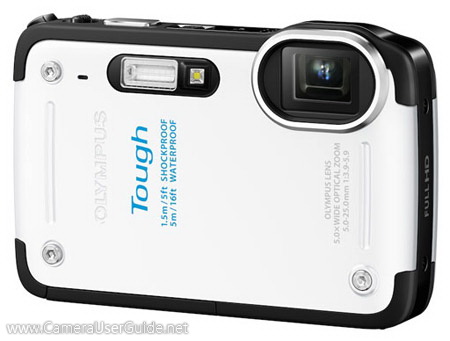
Olympus Stylus TG-625 Tough Key Features:
- 12-megapixels backside-illuminated sensor
- 3-inch 460k-dots HyperCrystal III LCD screen
- 5x (28-140mm) Optical Zoom Lens
- iHS technology
- Dual IS Image Stabilization
- Waterproof to 5m (16ft) , shock-proof to 1.5m (5ft), freezeproof to -10°C (14°F) and dustproof
- AF Illuminator
- 1080p Full HD Movie Capture
- iAuto
- Auto-tracking AF
- Face Detection and Advanced SAT
- 3D Photo Mode
- Beauty Make-up Mode
- Pet Mode
- HDR backlight Adjustment
- In-Camera Panorama
- Scene Modes
- Underwater scene mode
- Magic Filters
- Eye-Fi Card compatibility
- USB Battery Charging
Free Download Olympus Stylus TG-625 Tough User Manual, User Guide, Owner's Manual, Operating Instructions in PDF file:
Olympus Stylus TG-625 User Manual (PDF) - English
If you need Olympus Stylus TG-625 Tough PDF User Manual / Instruction Guide / Owner's Manual in other languages, please feel free to leave your comments at the bottom of this page. ↓↓↓

How long do we need to charge the battery to make it fully charged? Can we see the level of battery charged in the camera it selt.
thanks
Gopal
The charging time about 2.5-3 hours. No battery level display when charging.
How to download photo from my camera to my decktop pc