Samsung CL65 (ST1000) Camera User Manual, Instruction Manual, User Guide (PDF)

The ultra-slim Samsung CL65 (ST1000) incorporates a Schneider-Kreuznach 5x (35-175mm) optical zoom lens lets you capture group shots as well as close-ups. The 12.2 MP CCD sensor delivers startlingly clear images. The Dual Image Stabilization helping you to capture stunning photos without blur.

The CL65 (ST1000) is built-in Wi-Fi capability makes it easy for you to share photos with friends and family. And with Bluetooth embedded, you can send your images directly to someone's mobile phone. The camera also equipped with GPS for location tagging to locate where the photo was taken.

Read moreSamsung CL65 (ST1000) Camera User Manual, Instruction Manual, User Guide (PDF)
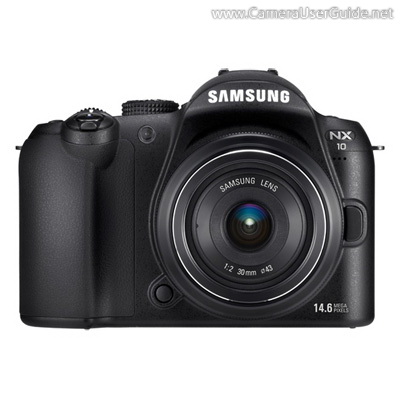
Samsung NX10 Camera User Manual, Instruction Manual, User Guide (PDF)
Samsung NX10 Mirrorless Interchangeable Lens Camera equipped with a large 14 MP APS-C CMOS sensor delivers high-quality images with rich and natural color. The fast and precise Contrast AF system enables you to capture fleeting moments instantly before the moment passes away.

The NX10 features Smart Auto function, which automatically applies the best shooting conditions for various scenes such as beautiful portrait shot, picturesque landscape shot, and vivid moments of child to get the perfect images without additional adjustments.

Read moreSamsung NX10 Camera User Manual, Instruction Manual, User Guide (PDF)
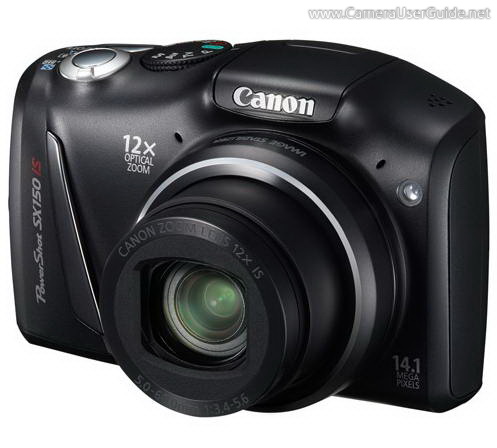
Canon PowerShot SX150 IS Camera User Manual, Instruction Manual, User Guide (PDF)

Canon PowerShot SX150 IS boasts a powerful 12x (28-336mm) optical zoom lens lets you get close to the action, while the wide-angle capability makes the camera great for photographing landscape, cityscape and group photos. The 14.1 MP CCD sensor deliver stunning image with fine detail and brilliant color.

The PowerShot SX150 IS features Smart AUTO, which detects the scene and selects the perfect settings from 32 predefined shooting situations to ensure the best possible image capture. The Intelligent IS automatically chooses from 6 different modes to optimize image stabilization for the shooting condition.

Read moreCanon PowerShot SX150 IS Camera User Manual, Instruction Manual, User Guide (PDF)
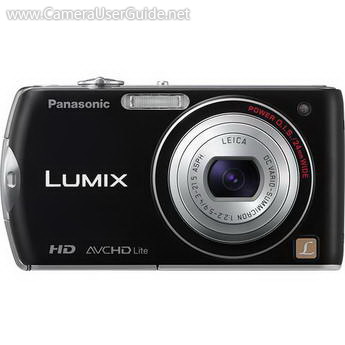
Panasonic Lumix DMC-FX75 / DMC-FX70 Camera User Manual, Instruction Manual, User Guide (PDF)

This slim Panasonic DMC-FX75 / DMC-FX70 sport a 5x (24-120mm), bright f/2.2 Leica DC Vario Summicron Zoom Lens offers high image quality even in low light situation. The 12.1 MP CCD sensor work with Venus Engine HD II image processor delivers clear, sharp images. The POWER O.I.S. (Optical Image Stabilizer) helping you to capture stunning photos without blur.

It equipped with a 3-inch LCD touch screen offers full touch control and easy view both in shooting and playing back images, auto focus can be set at the desired part of the frame with just a touch.

Read morePanasonic Lumix DMC-FX75 / DMC-FX70 Camera User Manual, Instruction Manual, User Guide (PDF)

Sony Alpha NEX-3 Camera User Manual, Instruction Manual, User Guide (PDF)

The ultra-compact Sony Alpha NEX-3 E-mount Interchangeable Lens Camera featuring a 14.2 MP Exmor APS HD CMOS Sensor, which combines with the powerful BIONZ image processing engine to deliver uncompromising image quality, and high-speed continuous shooting at up to 7fps.

The Alpha NEX-3 features simple turn-and-click control wheel and soft keys, letting you control the camera quickly and intuitively. The tiltable 3.0-inch LCD screen tilts down 45° and up 80° to frame high- and low-angle shots that would otherwise be hit-or-miss.

Read moreSony Alpha NEX-3 Camera User Manual, Instruction Manual, User Guide (PDF)

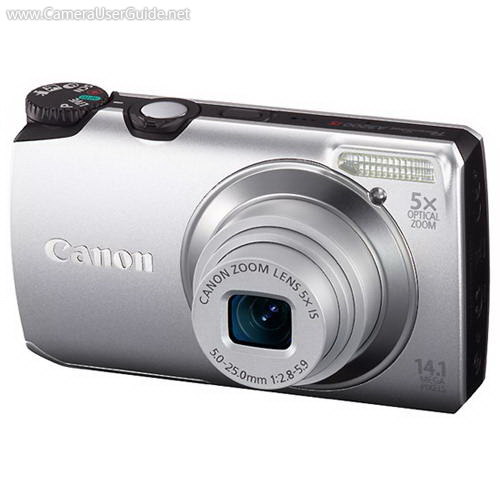
Canon PowerShot A3200 IS Camera User Manual, Instruction Manual, User Guide (PDF)

Canon PowerShot A3200 IS equipped with a 14.1 MP CCD sensor delivers stunning results for large prints. The 5x (28-140mm) wide-angle optical zoom lens lets you capture sweeping landscapes as well as close-ups. The Optical Image Stabilizer ensures clear, steady shots every time.

The PowerShot A3300 IS features Smart AUTO mode, which automatically selects the most appropriate scene from a possible 32 and applies the best settings for a perfect shot. The Easy Mode which makes shooting photos with one touch.

Read moreCanon PowerShot A3200 IS Camera User Manual, Instruction Manual, User Guide (PDF)